Currently SportsTrak 3000 is being trialled. We have an iOS and Android app under development, but that is not ready yet. The rest of the program under Windows runs Athletics or Swimming carnivals similar to SporsTrak 2200.
If you have trouble checking the status from within SportsTrak 3000 using the supplied code, make sure you are working with the latest setup program, and contact CaRob and we will email you an authority file.
Modification
25 Feb 2026
Have reworked the Results Entry window, so hopefully that works a lot smoother now! Have modified the student lookup table in Results Entry to allow all eligible competitors to display, not just the exact age group.
I have refined Backup and Restore to reduce confusion. For example, when a backed up carnival or lineage is expecting a certain lineage but it is not there.
I have been working on the interchange of data between ST2200 and ST3000.
The SchoolTeam CSV file is identical between versions so either ST2200 or ST3000 can import competitors from another school.
I am currently looking at ways that ST2200 and ST3000 can conveniently share a program of events so that it can be shared between members of a school association, even if they run different versions of SportsTrak. ST2200 can import and export a Program of Events in Excel format. ST3000 can export the program in the same format. I need ST3000 to import the Excel file so it can receive a program from ST2200.
Have changed Status and Updater Checks to a different secure Port on our server after some schools reported that they could not connect on the original port. If you have an earlier version, run the Setup Program from this site again. This will update the program and update the Updater so it checks the revised port
Have fully revised the Restore From Backup to handle situations like where the saved Lineage or Carnival may not exist on the PC
Have added a button to Export the program of events in Excel format suitable for import to ST2200
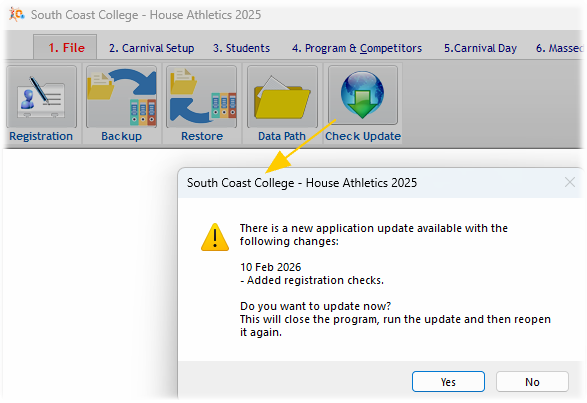
After installing from the zipped setup program, you can now check for updates from the 1. File menu below.
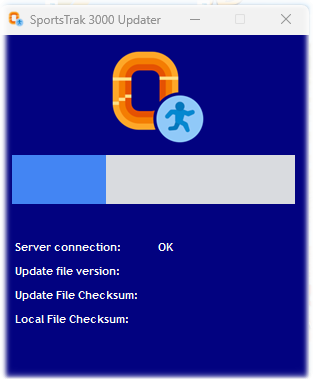 |
The updater will download the latest version into memory. It will attempt to remove the runnning SportsTrak and replace it with the new version held in memory. If it cannot delete the existing SportsTrak, delete the SportsTrak3000.exe yourself, then run the Updater.exe program (inside your SportsTrak3000 folder). This will drop the new SportsTrak in. |