Modification 14 Feb 2023 NetBookIt logging in was not working properly. Now fixed 11 Feb 2023 The way templates are done was modified a while back but the edit window for a new template came up blank. Fixed 29 Nov 22 A bug in a dll file meant NetBookIt and BookIt could not coexist. Fixed 16 July 2022 There have been cumulative changes over the last couple of years, mainly cosmetic.
NetBookIt sessions being locked when a user tried to update a booking was a bug. Fixed in this update. (Hopefully, anyway: It has been tested with the usual actions a user may take, but some users are very creative in their use of software)
Configuration files (.ini) have been smartened up and a new utility lets you reset the window positions to default. This is under the File menu, second option.7 Aug 2017 Some of the Booking Summary reports found on the Resources window were not working - fixed
Resource Tree (for bookings) made a floating enlargeable window, plus one or two others.Dec 2013 New version of BIShow. Screen shots here
Expanded the printout per booking of Daily and Weekly user reports to display much more of the reason for the booking.
Added Windows 8 manifest and code certification to all programs
20 Feb 2013 Added Room to NetBookIt's View User's Booking Report 25 July 2012 Recurrent bookings for a category with different daily session structures were being written incorrectly. After first two, booking was creeping forward a session at a time. Fixed. 18 April 2012 Weekly Bookings Report: Memo field for first session was printing at end of previous day: fixed Recurrent Bookings - Over holidays: If recurrent bookings are required through holidays, make sure holidays are marked with the time table day number (1-5 or 1-10 usually)
Recurrent Bookings - Weekends: If a resource is weekend bookable, a booking made on Sat or Sun would not recur on subsequent weekends as would be expected. Fixed. Will also book holidays if Holiday Bookable is activated.
27 Feb 2012 BIMailer Bug Fix: The process was not automatically shutting itself off. Fixed.
If you need to update BI Mailer only, run BI3Setup into a temporary folder and copy BImailer.exe from there into your working BookIt3 folder.
21 Feb 2012
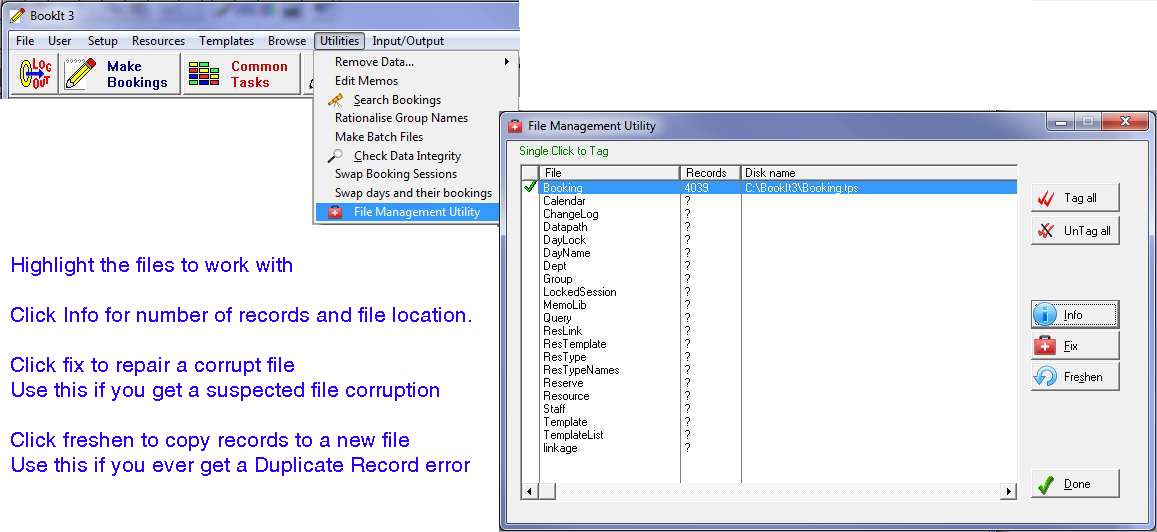
BookIt 3... Added a file repair/refresh utility under the Utilities Menu. Use this to repair any file (usually booking.tps though) or see information about them.
Bug Fix: If the control file did not have value for the BIShow display time set to something, annoying messages could be received. Fixed
22 Sept 2011 A daily recurrent booking made to a specified future date for a resource that belongs to a category that does not allow week-end bookings incorrectly wrote the booking for the week-end and displayed it on the weekly grid.
Fixed.
4 Aug 2011 BookIt 3
Category Summary Reports and a weekly report were not processing correctly - corrected.
14 June 2011 BookIt 3/NetBookIt3 Updated the Setup Program. It did not have the updated Windows BookIt.exe. Also minor fix to NetBookIt scrolling. 5 June 2011 BookIt 3
Major modification to Template Management
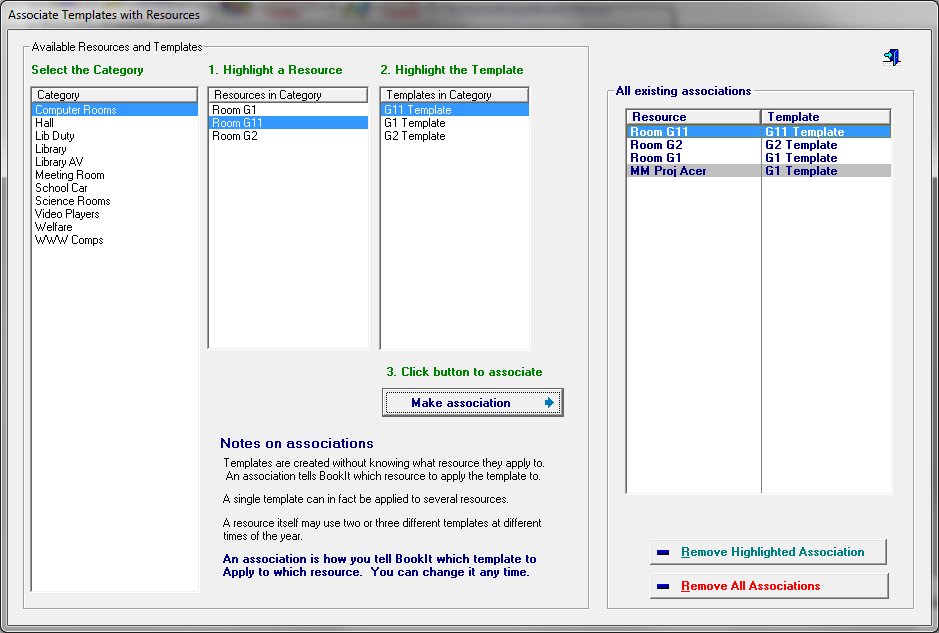
You create templates in the same way, but now explicitly Associate them with a Resource through an Association Window. You may then Apply any number of selected templates at once.
The Association also detects if any resources are linked to a selected resource, and offers to allow that resource to use the same template. See MM Proj Acer in the above screen shot, linked to same template as the parent vresource, Room G1.
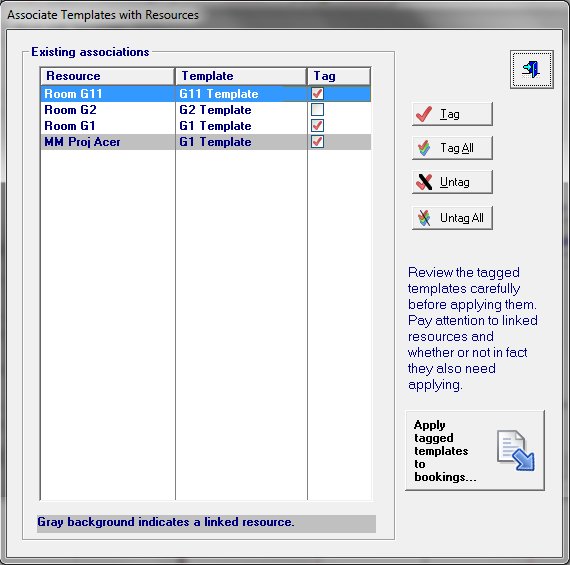
When applying Templates you may tag all or some to be applied in one action.
NetBookIt 3
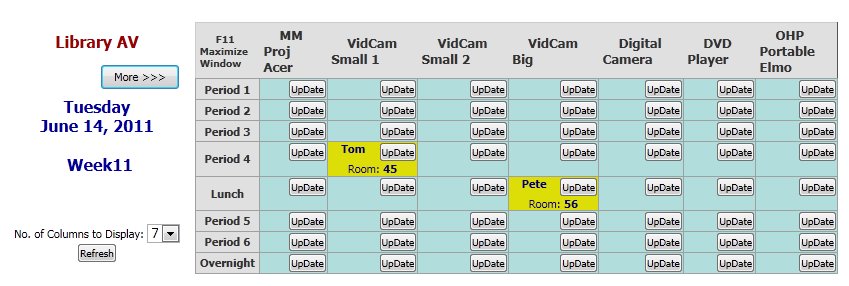
In the Category (or Daily) View of Bookings, until now, 4 resources have been displayed in one screen.
This can now be changed on the screen itself by users.
The number of columns has a maximum of 20. The spin box will not appear for those categories with less than 5 resources. If cookies are enabled, the settings are remembered between sessions, specific to each category.
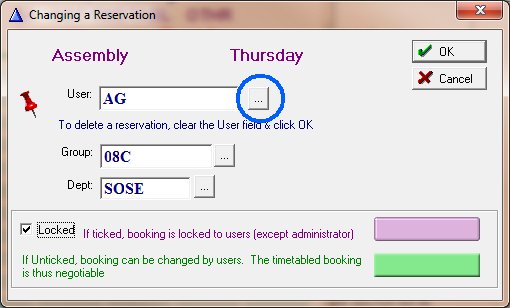
5 May 2011 Added button on Timetable Template update form to select a staff member from a list
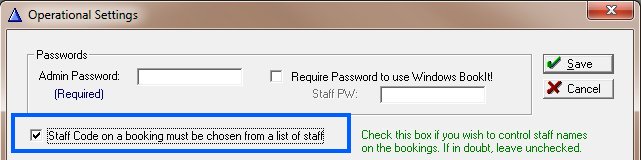
The option needs to be activated in Setup> Operational Settings (the same setting controls staff lookup on the booking form)
30/3/2011 NetBookIt 3
Upon making a booking, most fields are "remembered" for 1 minute if making subsequent bookings.
If Linkage.tps file didn't exist, the NetBookIt booking window would hang for no apparent reason. Fixed."Session locked.. " message came upon the booking window if Group was left empty and it was not a drop list. Fixed.
Update Booking window timeout has been dropped to 5 minutes from 10. If no booking is made in this time the window closes.
BookIt 3 - The Utility Menu option, Check Data Integrity will change all Staff Full Names to "Surname, First Name" format and will check that names (not just codes) exist. This is important in NetBookIt which uses Full Name in the Staff drop list.
8/2/2011 BookIt 3 Change to recurrent bookings:- Constraints regarding how far ahead a user is permitted to book a resource do not now apply to a user logged in as administrator. 25/11/10 NetBookIt 3
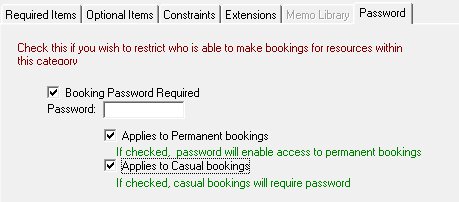
Password Required to make a booking option on a category not working properly in NetBookIt. Fixed.
12 Nov, 2010 BookIt 3 and NetBookIt 3
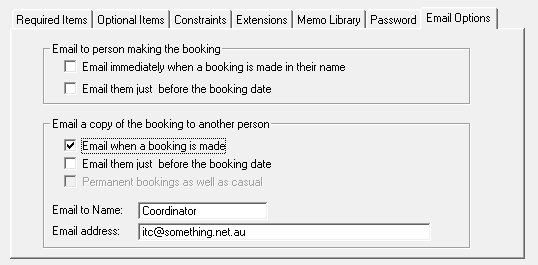
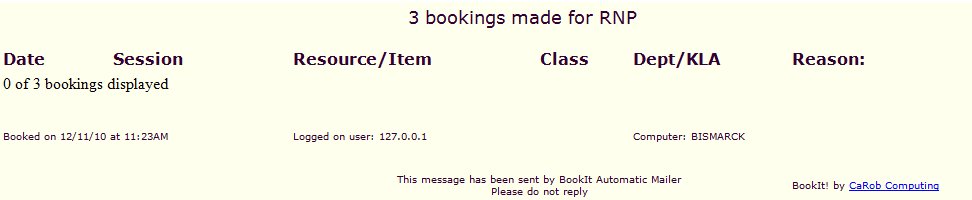
Email: If you set the Category options to Email to another without ticking the person making the booking (as shown above), the Other was sent an email, but without the booking details.
Also, in NetBookIt under any settings, the Reason was not sent.
Both faults rectified.
1 Nov, 2010 BookIt 3 and NetBookIt 3
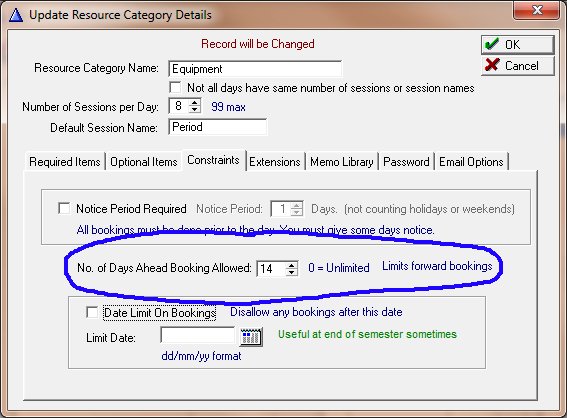
Days Ahead bookings allowed was behaving differently in BookIt and NetBookIt Daily and Weekly views. In one case it was using calendar days but other cases using timetable days; sometimes it counted the current day in the count, other times not.
We have standardized the behaviour to be based on calendar days alone, not including the current day in the count.
In a school context, if you set the limit as 14 days, staff will not be able to book across term breaks now.
27 Oct, 2010 BookIt 3
Staff lookup table has sort headers to make it easier to find staff by surname or first name, rather than just user code.
BookIt 3 and NetBookIt 3
Constraint on Category: Notice Period Required
If it was set to 1 day you couldn't book for tomorrow after 12 noon. To make it equivalent to the old Prohibit Same day booking, it has been changed to 11 pm.NetBookIt 3
Staff lookup table on the booking form is now sorted by surname rather than user code.
14 Oct, 2010 Added 10 min time out to the Booking update window in NetBookIt. After that time the window closes and another user can book that resource. Makes it consistent with Windows BookIt. 8 June, 2010 First Release