Instructions
Download and run the setup program (above)
If you already have SciList:
We recommend you do a backup of your data first.
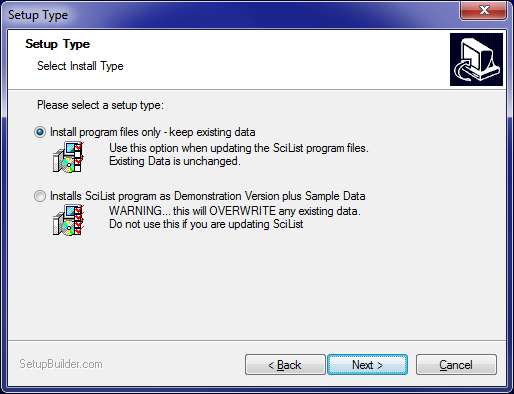
When updating an existing SciList, use the first option.
No data is installed: it keeps your existing data.
Go to File > Local Settings in SciList and check the Chemical Options
If you are installing for the first time, choose the second option:
If you install Sample data, it will automatically run in Demo mode. See below to activate and register it fully.Documentation:
The installation includes full documentation in .pdf format.
The demonstration version is limited 20 stock itemsRegistration procedure:
1. Fax (03 5523 5144) or email an official order (on approval) to CaRob Computing. Include a contact person's details and email address. See Pricing
2. CaRob will send a registration file for SciList in the name of your school or organisation. That will give you around 40 days to use the program.
3. When we receive payment, you will be emailed a registration code. After entering it,SciList will be licensed software and fully functional..