BookIt3
Booking school resources across the school network
A system for booking school resources via the school network. Computer rooms, AV resources, etc… Viewable and Bookable from anywhere in the school.
Version 3 is the first major rewrite of BookIt since October 2003.
BookIt and NetBookIt, now properly integrated
NetBookIt now offers all of BookIt's booking options, whereas in Version 2 NetBookIt was not fully functional with all the options. The result is tighter integration of the two.
We now recommend NetBookIt as the primary booking interface because it is now fully featured, with increased network performance over BookIt, safer data handling, and users are not restricted to Windows machines.
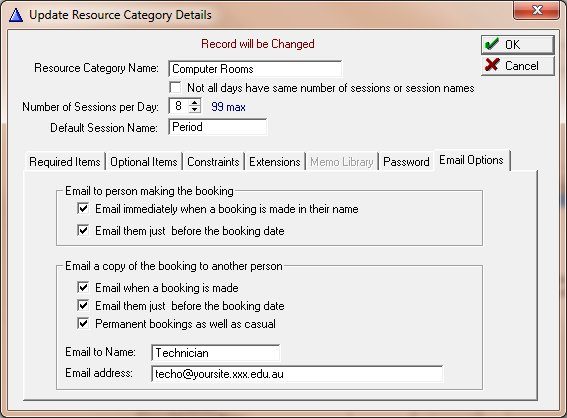
BookIt is still the administrative application and still offers all booking features. A hyperlink from BookIt opens NetBookIt, which makes it easy for users who traditionally use the Windows program.
Email notifications
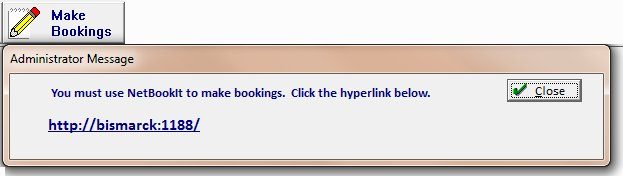
Email the user when a booking is made or altered, prior to the booking, or both. Email another person — a caretaker or technician, say — immediately or prior to the booking, or both. Email options are set on the category.
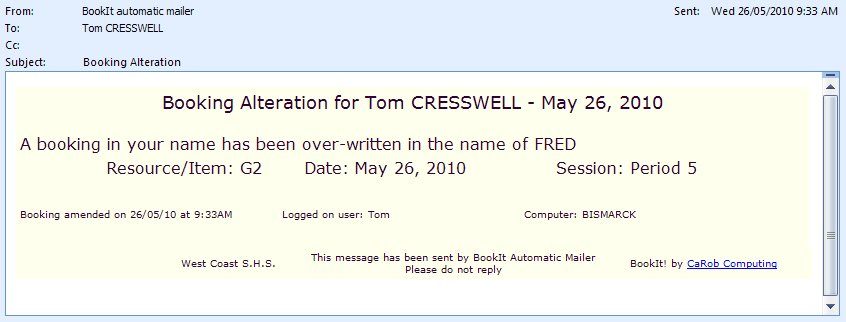
Alterations are notified too, so a teacher whose booking has been over-written finds out from an email rather than from an empty room.
A day structure that matches the school's
Variable day structures with any category: the timetable might be based on 6 sessions, but Thursday is 4 sessions plus sport. You may have different session numbers in different orders with different names.
Session names don't appear on the left because not all sessions on a row may have the same name. Instead they display when the cursor is on them and on the update form.
Accountability
Bookings are stamped with the user and computer that made the booking, seen on the Change Log and on the booking form. Users can be forced to give a notice period prior to a booking.
- User and computer stamped on every booking
- Change log
- Notice period enforcement
- Better backup and restore, including automatic daily backup

Usage reporting
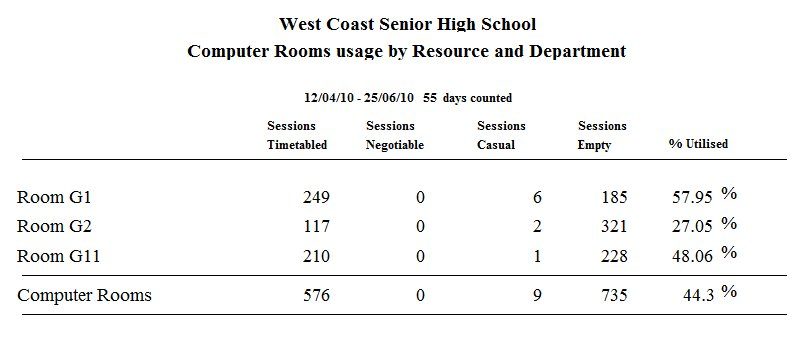
A resource usage report shows sessions timetabled, casual and empty with a percentage utilised, broken down by resource and department. All reports print to screen and can be saved as .txt, .pdf or html files.
Also new in version 3
- Weekly view is now Mon–Sun, not Sun–Sat
- Key windows are resizeable
- More backup options