SciList
Science and chemical stock management, in your browser
SciList Web is stock management for a school science department, running in an ordinary web browser. There is nothing to install and nothing to keep updated, and it is reached from any computer in the school.
School science laboratories hold a plethora of equipment and apparatus, tools, consumable items, learning aids and chemicals that all require management: storing them, finding them, accounting for them, counting them, ordering replacements, and keeping a chemical register that stands up to being asked for.
SciList has been used in schools across Australia since 2007, changed and improved with users' feedback the whole way. It has also been used as a stock system for a uniform store, for library consumables and for general stationery.
SciList Web is the new browser-based version of SciList. Buying it includes 12 months of online access; after that it is renewed a year at a time, and the software stays readable in the meantime.

One catalogue, many places
One idea underpins everything else: the catalogue of what a beaker is stays separate from the record of where your beakers are. A card index puts both on one card, which works until the same item is kept in two rooms and the two cards start disagreeing with each other.
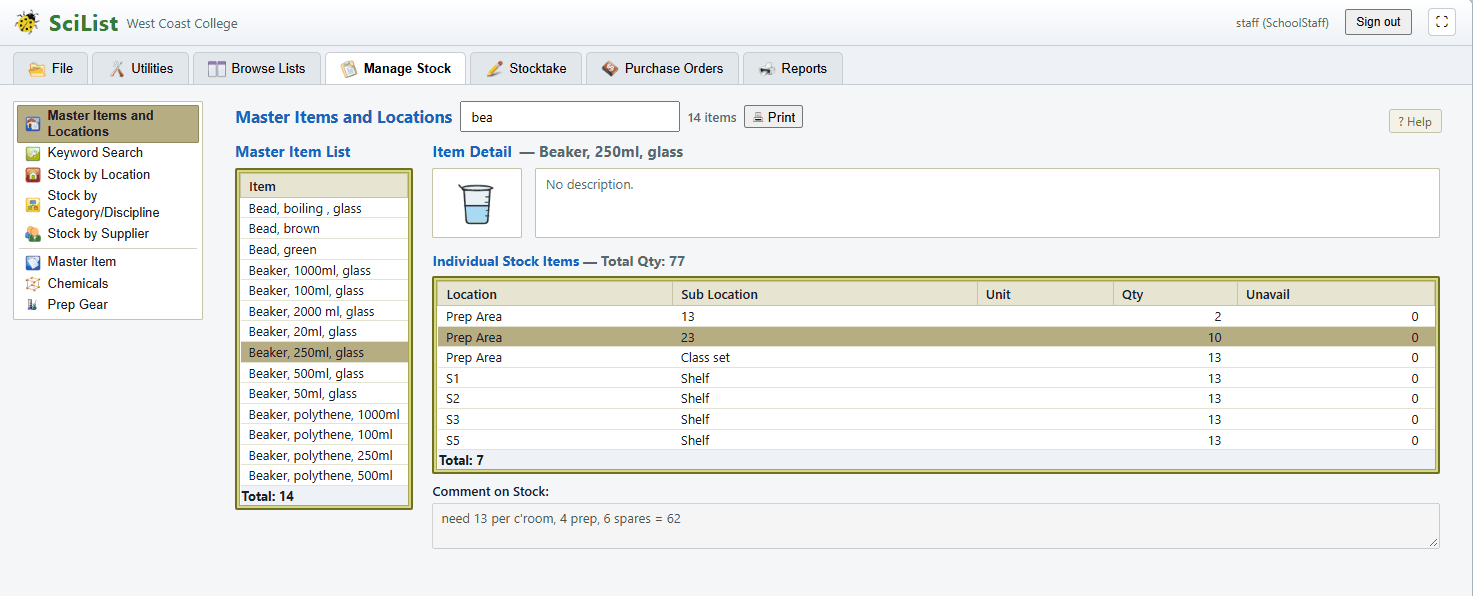
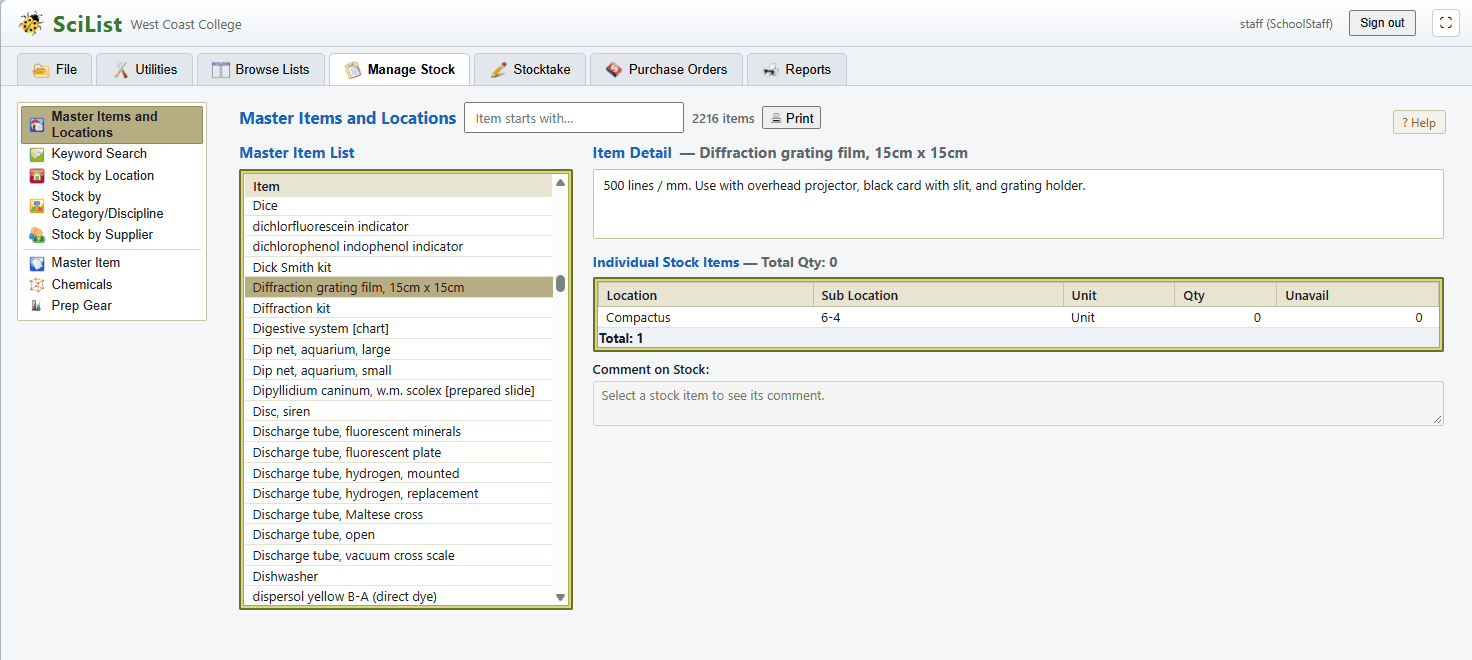
A master item is the catalogue entry — the name, the unit, the value, the photograph, the categories and disciplines it belongs to, and for a chemical its hazard data. A stock record is how many and where: a location, a sub-location, a quantity, and how many are temporarily unavailable because they are broken or lent out. One item, as many stock records as you have places you keep it.
So 250ml beakers might be twelve in the junior store, twenty in chemistry prep and six in a laboratory: one catalogue entry, three stock records, thirty-eight held. Correct the item's name or photograph and all three are describing the corrected thing at once, because none of them was holding a copy of it.
- A new school starts with around 2,200 common science items, already named consistently, indexed and sorted into 118 categories and 22 disciplines
- Locations are rooms; sub-locations are free text, so they can match the labels already stuck on your shelves
- An item can sit in several categories and several disciplines at once — a balance is used by everyone
Five ways to find one item
There are five routes to the same item, because there are five different things you might already know, and choosing the right one is the difference between a few seconds and a few minutes.
Searching by name matches the start of the name, which is why the supplied catalogue reads "Flask, conical, 250ml" rather than "Conical flask" — it keeps every flask together on a printed sheet. When the word you know sits in the middle of the name, the key word index is what finds it: every significant word in every item name, indexed, so "glass" turns up the watch glasses, the glass funnels and the glass mortar alike.
- By name, typing letter by letter with the list narrowing as you go
- By key word, for when you are describing a thing rather than naming it
- By location, which is the screen to use when you are standing in the store
- By category or discipline, combined — what glassware does Biology use that Chemistry does not
- By supplier, worked out from what you have actually bought, with the product code and what you last paid
What you are actually short of
When SciList builds a re-order list it does not ask whether a shelf is short. It adds up what you want for an item across every place you keep it, adds up what you counted across every place, and compares the totals.
So if you are eight beakers down in the junior store but three over in chemistry prep, you are short five beakers, not eight — and the list shows you every location the item is kept in, including the ones that are fine, so the obvious move is in front of you: shift three across and order five.
Two kinds of thing need different arithmetic, so each item says which it is. A tripod stand has an ideal quantity: a target of twelve you restore to. Sodium chloride has a trigger level: a floor of 500g you stay above. If you counted 3kg of salt you are not over by 2.5kg — you simply have plenty, and at the end of a stocktake that counted figure is kept rather than being pulled back down to the trigger.
- You never type a re-order quantity; it is the shortfall, netted across locations
- Ticking an item as a chemical sets it to a trigger level, which is right nearly every time — but the two are separate settings, so filter paper and litmus strips can behave the same way
- Disagree with a line? Edit the ideal figure on the re-order list itself and it drops off for good, because you have corrected the judgement rather than dismissed a row
The stocktake cycle
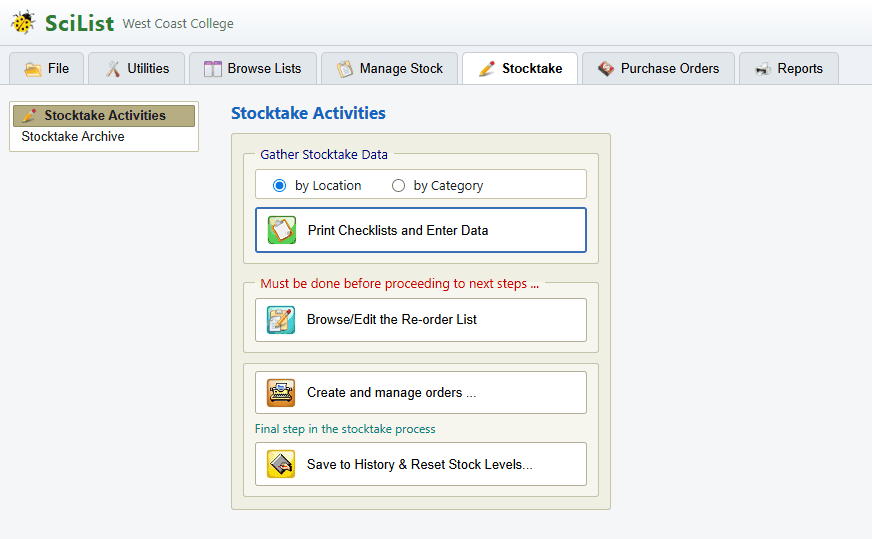
A stocktake answers three questions in order — what have we got, what should we get, and right, that is now the record — and they are three different kinds of decision. You choose a scope by location or by category, print a checklist with the expected quantities already on it, go and count on paper, key the numbers in, then work down the re-order list.
Nothing expires and there is no penalty for leaving a stocktake open for weeks. The one irreversible step is the last: saving to history squares every stock level up to what it should be, and writes a permanent archive entry that does not change afterwards no matter what you do to your stock later.
Three years of that archive tells you which items go missing every year without fail, which is an ordering decision, and sometimes a storage one.
- Scope a stocktake as small as you like — a room at a time over a fortnight is the usual pattern
- Checklists print grouped by location, in the order you will walk the shelves, and in the same order as the data-entry screen
- Every stocktake needs a name you have not used before, which is a guard rather than an inconvenience: two entries called "Annual" are worth little five years later
Orders, and the history that prices the next one
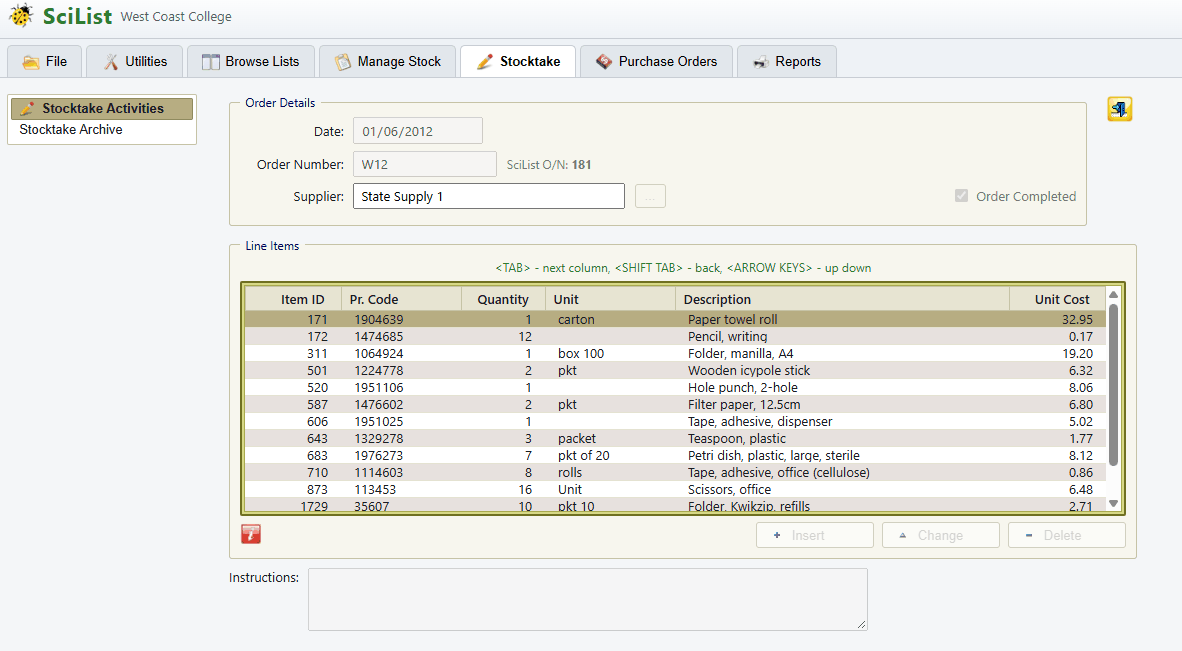
An order starts as a list of shortfalls and ends as permanent purchase history. One order goes to one supplier, it can take its number from your own sequence or from the finance office, and a line can be something in your catalogue or a one-off — a repair, a delivery charge — that never becomes stock.
Print it on your school's letterhead with your own logo, or email it to the supplier from inside SciList. An emailed order goes in the body of the message rather than as an attachment nobody opens, shows your school as the sender, and replies come back to your school's address rather than to us. Every message sent is kept, which is what you want in front of you when a delivery is wrong.
When the delivery arrives you record what actually came and what it actually cost, and copying that to history writes a permanent record against the item and brings its value up to date. That is what makes the next order quick: add the same item for the same supplier and the product code and the last price you paid are filled in for you.
- Part deliveries are ordinary — receive what came, copy to history, and repeat when the rest arrives
- An item's value only follows the price when the purchase unit matches the item's unit, because a price per box says nothing about the price of one
- Reports answer what is still outstanding, what has been billed, and what you have spent over a period
Chemicals, and a register that is a safety document
A chemical is a master item with more to record and more at stake, so SciList treats it differently. Marking an item as a chemical opens a tab for the data a register needs — CAS number, UN number, hazard classification, dangerous goods class and sub-risk, packing group — and the dangerous goods classification is filled in from the hazard rather than typed, because it is a property of the substance and not a local judgement.
The GHS reference library ships with SciList and is maintained centrally, keyed by CAS number, with the date it was drawn from its source shown on screen. Where one CAS number covers several entries — nitric acid at different concentrations, which are genuinely different hazards — you are shown the candidates and choose, because only you know what is in the bottle.
SciList will refuse to delete a chemical, and that is deliberate: a register is a record of what a school held, and the honest record of something you have used up is a quantity of zero rather than an absence. When you finalise a stocktake a chemical history entry is written for every chemical you hold, not only the ones needing re-ordering, because a quantity on a date is a record of what was in the building.
It is not a substitute for your Safety Data Sheets, and it does not assess risk or write your procedures. The reference data is there to save you transcribing classifications; the supplier's current SDS is the authority.
- New South Wales colour categories — K-12, 7-12, 11-12, TCH, PS and N — can be switched on, and colour the list on screen
- A school that holds no chemicals can turn the whole chemical side off, and it is absent rather than greyed out
- Some of the printed chemical reports are still in preparation; until they land, the chemicals list can be sorted and printed and the register exports as a spreadsheet
Who can do what
Two kinds of login, and one division between them. A school administrator can change the records — items, stock, locations, suppliers, chemicals, stocktakes, orders and the logins themselves. School staff can look at everything, search it and print any report, which is enough to answer "have we got any, and where" without interrupting anybody.
Give staff logins freely: a read-only login cannot damage anything, and a teacher who can look something up for themselves is the main way this saves the technician's time. Accounts are deactivated rather than deleted, so somebody who has left keeps their name against the records they created.
If a subscription lapses your data stays exactly where it is and stays fully readable and printable — you never lose access to your own records — but changes are not accepted until it is renewed.
- Your school's administrator adds colleagues and resets their passwords, without coming back to us
- Worth having two administrators: the day you discover otherwise is the day the one person with the password is away
- Your school's data is your school's, and you can export it to spreadsheets whenever you want
Starting, or moving across from the Windows version
Buying SciList Web or starting a trial is self-service — there is no need to contact us first. The confirmation email carries your school code and your first login, and you can sign in straight away at scilist.carobcom.com.
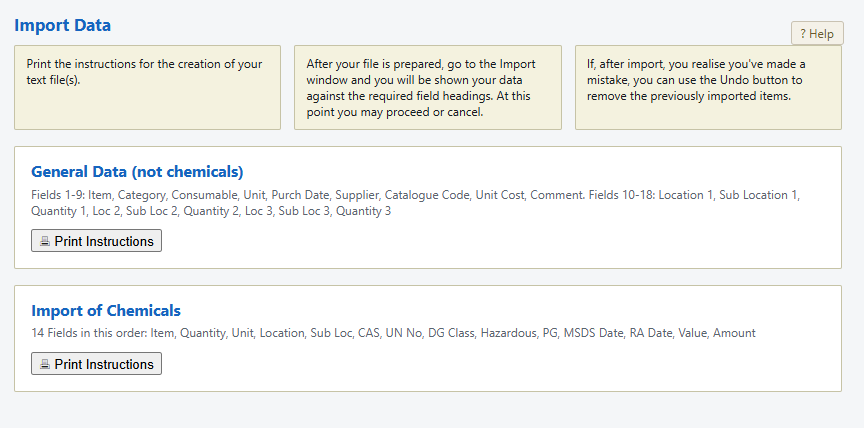
If you are starting fresh, the import screen brings a prepared list of items and chemicals in from a spreadsheet or a text file; it prints the exact columns it expects, shows you a preview before anything is saved, and will undo the last import exactly if you get it wrong.
If you already run SciList on a Windows PC, your existing stock, chemicals and history come across. A small free tool — the SciList Data Migrator, on our downloads page and signed by CaRob Computing — reads your existing data folder without changing anything and writes one small file, typically well under a megabyte even for a large stock list. Send it to us and we load it into your new account and tell you when it is ready to check.
SciList for Windows, which SciList Web replaces, is still available and still supported for schools running it.