SportsTrak 3000
Interhouse, interschool and zone carnivals — athletics, swimming and cross country
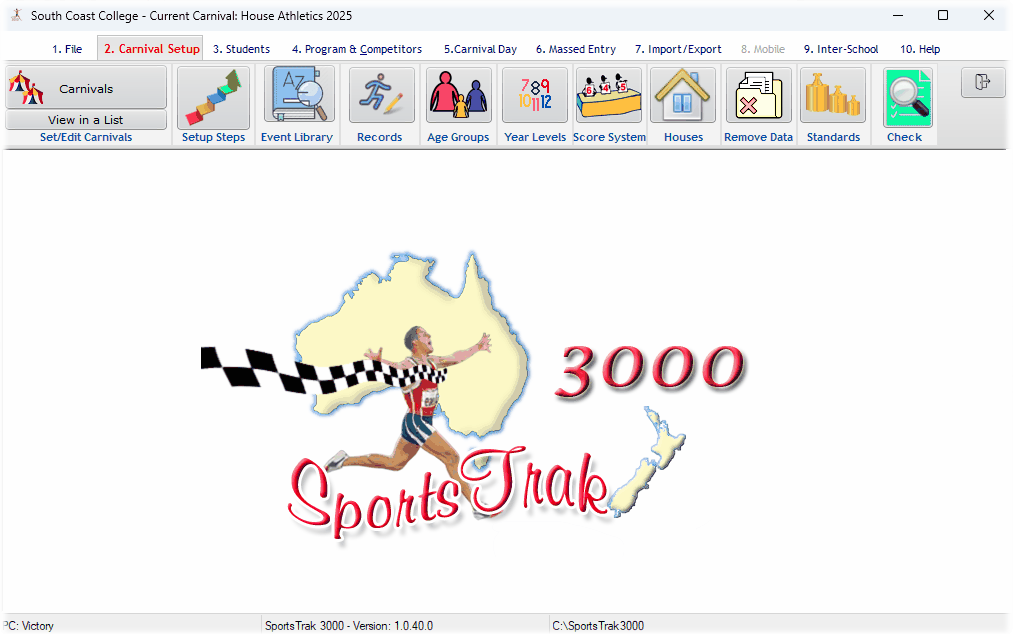
SportsTrak runs InterHouse, InterSchool, Zone Athletics or Swimming Carnivals or Cross Country Events.
SportsTrak is an interactive database of students, teams, events, and scoring system woven into a well structured package offering flexibility, versatility, and reliability.
We have taken the highly successful SportsTrak 2200 model and improved it. It has been refined and rewritten in a more modern language. It runs in full 64 bit mode, meaning it will be supported by all foreseeable Windows versions, as well as using the full processor. It interacts with iOS or Android devices for some data entry, and most SportsTrak 2200 carnivals are able to be imported.
What it needs
- Operating system: any Windows 64-bit system
- Hard disk space: around 100 MB
- Internet required to authorise the program for your school
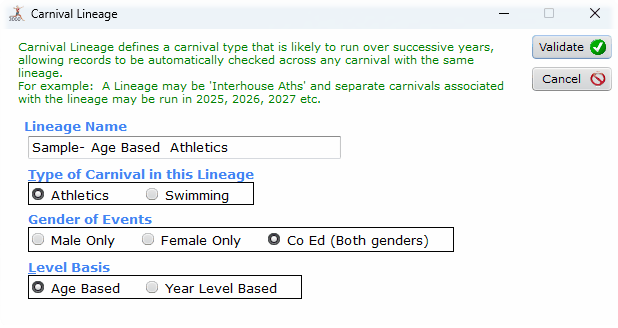
Carnivals are organised in lineages
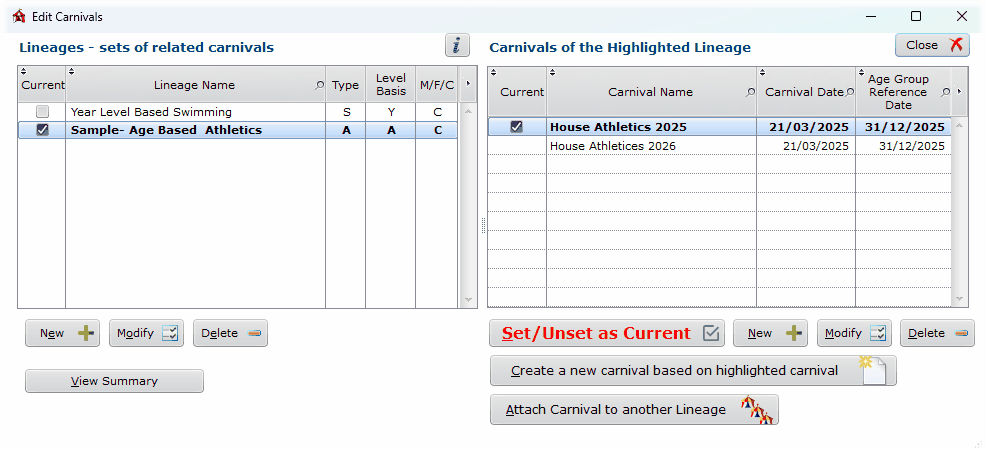
You organise your carnivals in Lineages. Lineages are sequences of carnivals where records from one carnival apply directly to next year's. Typically this would include Inter-House Athletics 2026, then another carnival, Inter-House Athletics 2027, progressively. Another lineage might be the Inter-house Swimming, another the Inter-School Athletics from year to year.
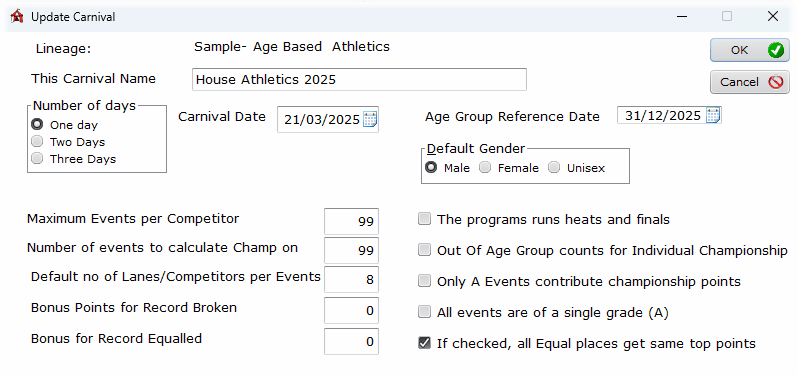
You set a particular carnival to be Current. Everything else in SportsTrak relates only to that one carnival. From the Carnivals window you can easily switch between carnivals.
The lineage sets the options that then apply to all carnivals within that lineage, while carnival settings can vary from year to year.
Working with a carnival
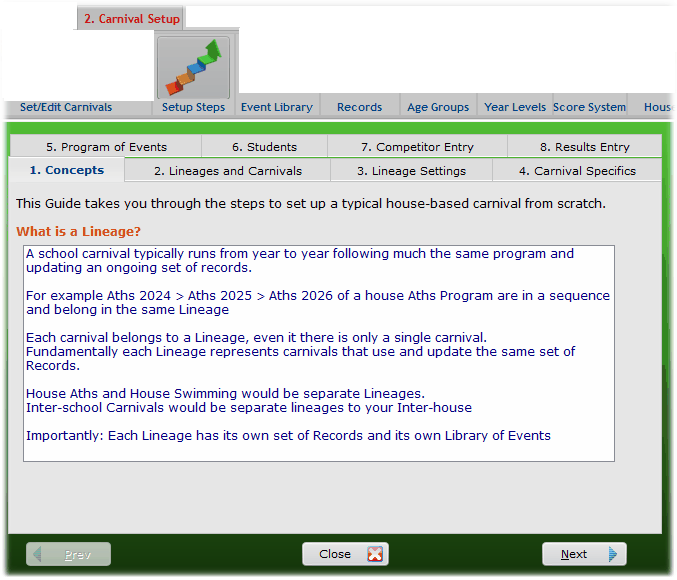
The menu is organised so you mostly work from left to right. Menus 2, 3 and 4 set up the program with student listing, the program itself, and any pre-entering of competitors. Menu 7 allows a range of imports including from previous SportsTrak 2200. Menu 6 relates to either Trials or Cross Country, where results get entered directly on a competitor's place or time.
Additionally a step by step guide is provided. This has a sequence of numbered tabs. Follow these to get a brief outline plus the button to get to that function.
Students, teams and age groups
Student data is able to be imported from a text file with data from a student database, or can be manually entered. A student's Age Group is automatically determined, based on a date set by the coordinator. If Year level data is entered then students may be promoted at end of year.
- Unlimited number of teams or houses
- A carnival is based on either Age Groups or Year Levels
- Up to 18 Age Groups or Year Levels
- Year Levels can be Bubs, Yr00, Yr01 … Yr13
- Age Groups can be 03Yr to 20Yr
Scoring that matches how the school scores
Scoring for individual events can be Normal, where 1st place = 20 points (for example) and 2nd place = 16 pts; Standards, where High Jump scores 5 points for 1.3 m, 6 pts for 1.4 m and so on regardless of place; or Points, as in a Cork Scramble, with points based on degree of success.
Usually the entire program is based predominantly on Normal or Standards, but they can be mixed. Normal scoring can be based on up to 26 grades — A Individual Events 1st = 20 pts, A Team Events 1st = 40 pts, B Individual Events 1st = 10 pts, and so on.
Points accrued go to Teams and to the Individuals, thus determining Team and Individual Championships and placings. The scoring system may be changed and all scores recalculated any time during or after the carnival.
You may print Team (House) scores for grouped ages or year levels — for example a Junior House Championship based on all 12Yr and 13Yr scores of both genders.
Building the program of events
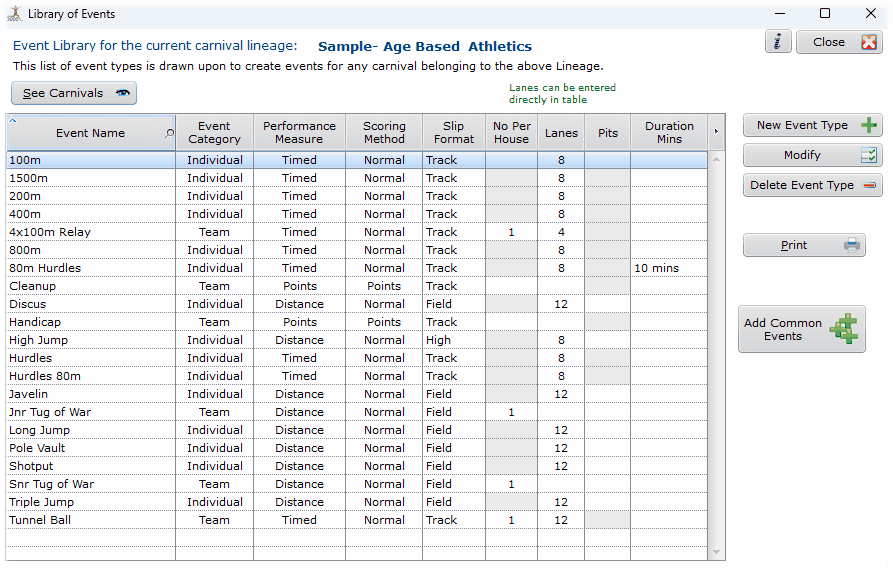
A library of event types is provided which can be edited and supplemented. Each event on the program is composed by selecting from lookup tables.
For example: Event Number 1, Discus, 17Yr to 20Yr, Male, Scoring Grade A, Day 1 2.00PM, OPEN, Ordinary Event, Pit 2, 1250 g shot.
Lanes may be specified for all teams in all events. Lanes can be set fixed or rotating for any number of events, and manually over-ridden.
- Event type
- Lower and higher age group
- Gender
- Ordinary event, heat or final
- Set time
- Location and equipment (e.g. Pit 3, shot weight 1250 g)
Heats and finals
Finalists can be seeded into lanes based on team lanes, or in a VEE formation with the best heat result in Lane 5. Final types can be:
- A — the final stores all heat results and processes them all based on their heat times
- B — best N from each team progress to the final
- C — best N from each heat, e.g. best 2 per heat will progress
- D — best N from all heats, e.g. best 8 from all the heats
Entering results
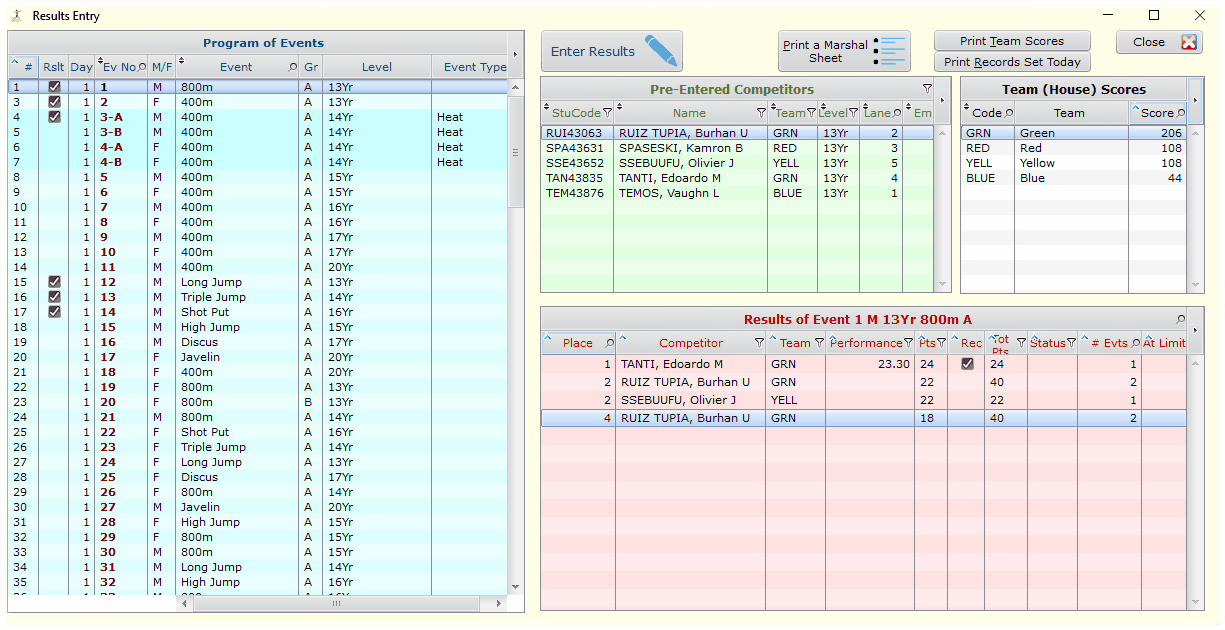
Automatic or manual sorting of placings. Results may be recorded by entering competitors' performances and having SportsTrak sort them into placings; sorting can be automatic or on demand. Alternatively, places and as few or as many performances as you consider important may be recorded.
Competitors may be pre-entered into events, for printing on the program and marshalling slips — adding events to each competitor, or competitors to each event. Team members can be entered in relays for printing on a specific Relay Members Report.
- Comprehensive results entry window
- Fully networkable for competitor pre-entry or during results entry, spreading the workload over multiple computers
Trials and cross country
Massed entry mode for Trials and Cross-Country allows all students to have a performance recorded for them in any number of event types, without having to call up an event number.
For Cross Country: enter each student's time, then process them into a pre-set program of events with an event for each age and gender. The events are all processed automatically.
For Trials: print students' performances. SportsTrak can seed competitors into the program based on their trial results.

Records, reports and moving data around
Records are maintained and automatically checked and updated. Level Champions and Runners Up are determined and stored, and team results can be saved.
- Extensive range of reports — all print to paper, screen, disk, text, .pdf or .html
- Import/export program of events to Excel
- Export students to text file or Excel
- Export best performing competitors for import into another carnival — for example, the best performers from a house carnival into an inter-school program
- Archive feature saves and retrieves whole or partially set-up carnivals
- Integrated Help, Web Help and .pdf manual