Steps involved:
1. Identify or create a Lineage for this carnival.
2. Create a new carnival in this lineage, or import from a previous carnival.
If you have previous year's carnivals where performance records exist, use the same lineage.
If you import a carnival you get all the same basic settings: houses, age/levels, score system, program of events etc, so this is the best way to do it.
3. Update the carnival's dates and other settings. If creating a new carnival (not importing) then you need to enter houses, ages or year levels or both, score system, program of events.
4. Student data is imported from an admin system.
5. Competitors may (or may not) be pre-entered into events.
6. After entering competitors, you may need to adjust events based on the numbers of competitors in those events.
The window below guides you through the steps logically, with some explanation as you go.
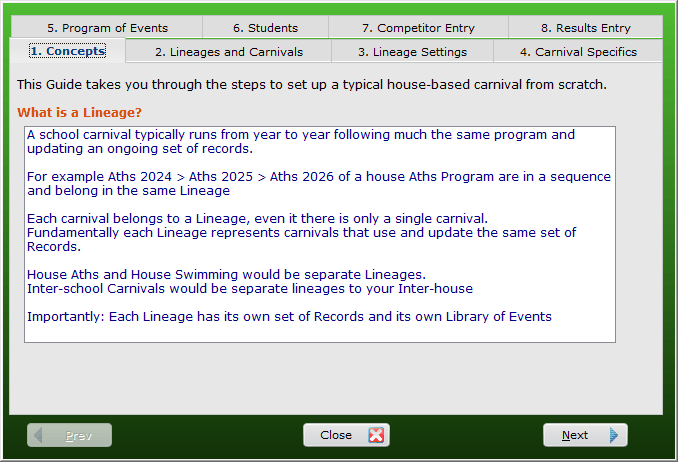
Setup Guide for typical Carnival
However, all functionality is accessible through the menus, typically working from left to right until Carnival Day,