What is CSV and why use it?
CSV stands for Comma Separated Values.
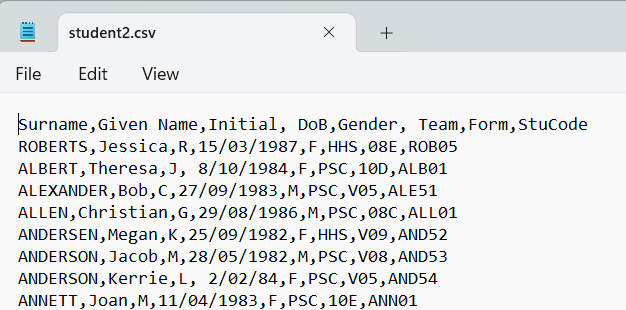
Tabular data, such as a list of students, is stored with a single data record on each line. Each line has a set of values with a Comma separating the values
The data is stored as plain text and can be viewed and edited in simple programs like Notepad below.
Often the first line carries headings. In SportsTrak we don't tend to add headings to the CSV files because when importing, the headings gets treated as actual data, which they aren't.
If this data was imported as shown, then Surname, Given etc would be come in as a student. No big deal... just delete it later.
Editing CSV Files
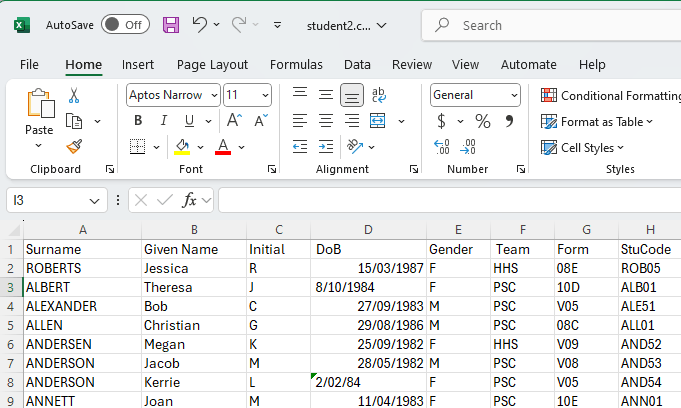
Although you can use Notepad to edit a CSV file it is not really practical because it gets confusing. It is better to open the CSV in a spreadsheet, say Excel.
The same data here can now be more easily read, more easily edited, and can be sorted.
Saving CSV Data
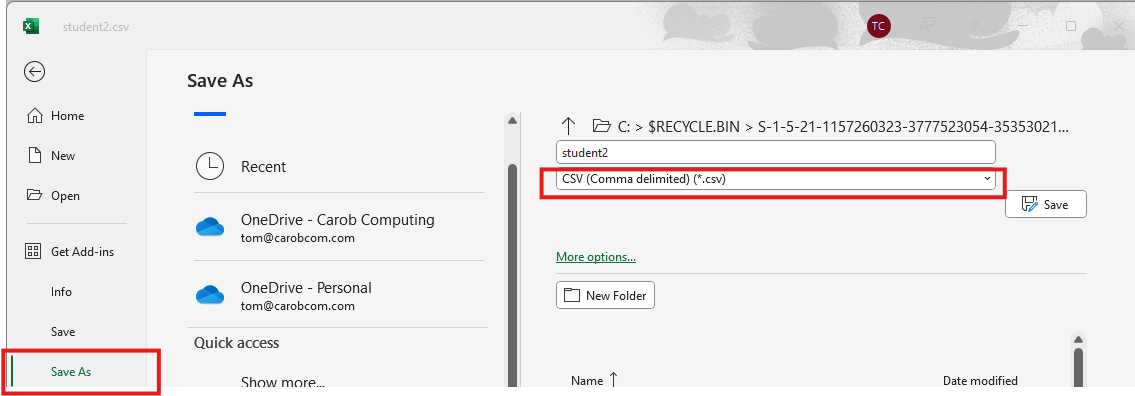
For SportsTrak, make sure the data is saved again as CSV, not in Excel format.
Go to File Menu> Save As
Quote marks?
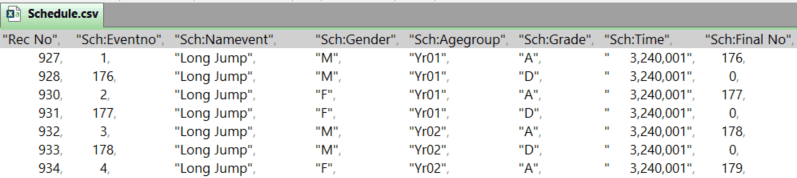
Sometimes you will see CSV data with quotes around values. This is done if the data itself contains commas, for example the Time values below.
Sometimes the quotes are there even when they are not really needed e.g. Event Name or Gender below.
SportsTrak does not care one way or another if your CSV data contains quotes, except if the data itself contains commas.