Steps to set up secondary computers for results entry
Install SportsTrak 3000 on secondary computer(s) and make sure that it (they) have been registered. See Registration.
From the Primary Computer
The primary computer is the one that has the program on it, and where results will ultimately reside.
From the primary computer's SportsTrak, File Menu, using the options shown below, Create the Backup
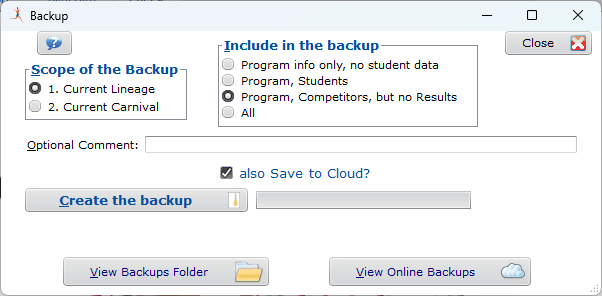
This creates a compressed zip file such as shown here, where the lineage name is part of the file name.

but also saves it On-Line:

From the Secondary Computer(s)
Either
1. Copy the zip file from the primary computer, saving it in the SportsTrak program folder. Then do a File Menu, Restore Backup
or
2. Restore the Backup from On-Line, also from File Menu, Restore Backup
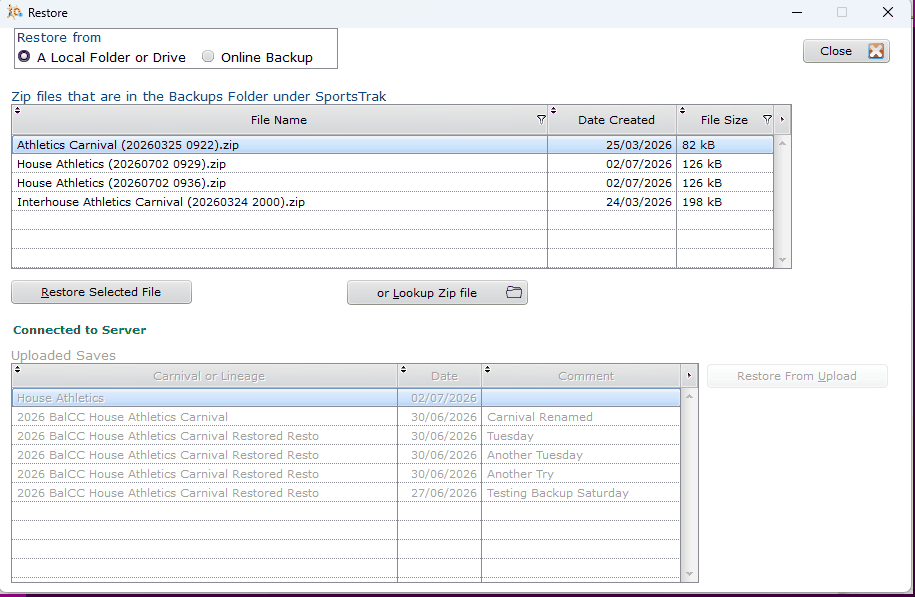
After restoring, make sure this Carnival is Set as Current and results may be entered
Combining the two sets of data
When results have been completed on the secondary computer they must be
Exported from the secondary computer using the Export to file button.
Imported into the primary computer using the Import from file button.
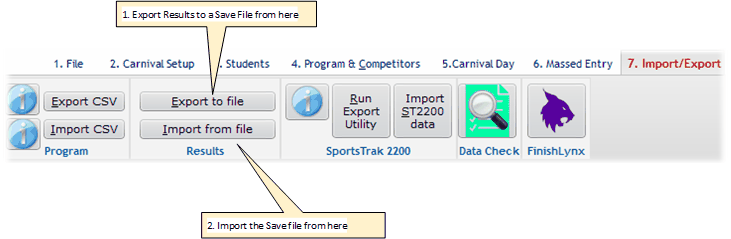
Exporting to File from Secondary Computer
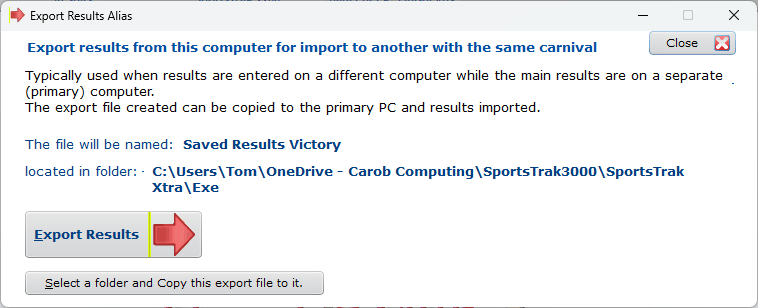
The above window describes the action: A Saved file is created that includes the machine name in the file name
That file can be copied to a convenient location such as a memory stick.
Copy that file to the Primary Computer
Most conveniently, save it to the SportsTrak program folder of that PC
Import the Saved File to the Primary Computer
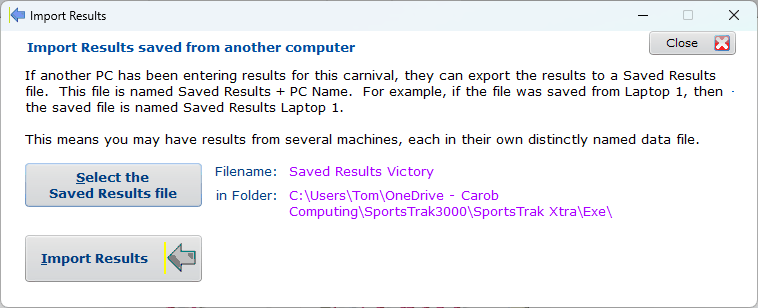
Select the file and Import Results
This displays events for which results have been saved.
The default action is that results on the primary computer have priority if it has results also for an event. That means the secondary results will be overlooked for such an event. However, that can be over-written by checking Overwrite Existing Results if desired.
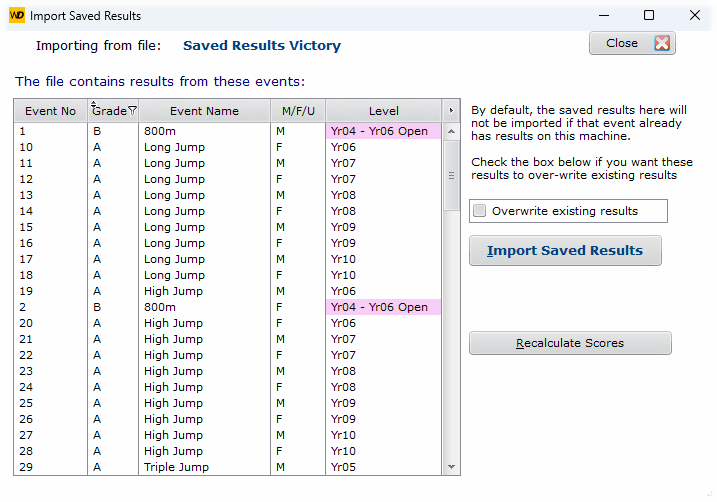
After importing you should Recalculate Scores because the import process just brings in the results; it does not process them