From the B) Read LIF Results button go here to this window.
Each event's results are a single LIF file where the event number is the first part of the event name.
You will have to Refresh this List initially and whenever you know that fresh results data has been placed in that folder.
(That data may have been saved directly from the Lynx computer or been copied via a memory stick)
Highlighting each event shows its data in the right hand table.
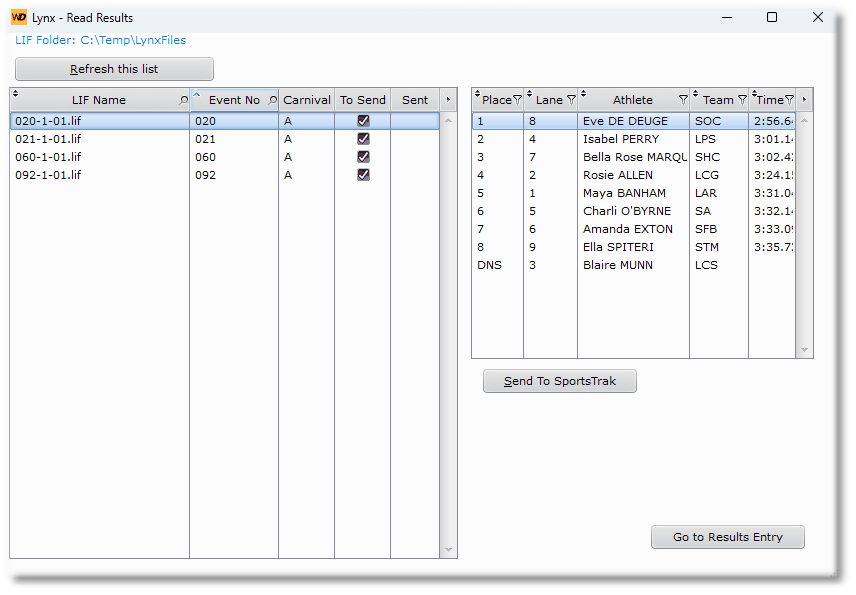
Viewing the LIF Data
The button Send To SportsTrak will send all LIF data that is marked To Send.
Results are sent but not processed.
For event 20 above:
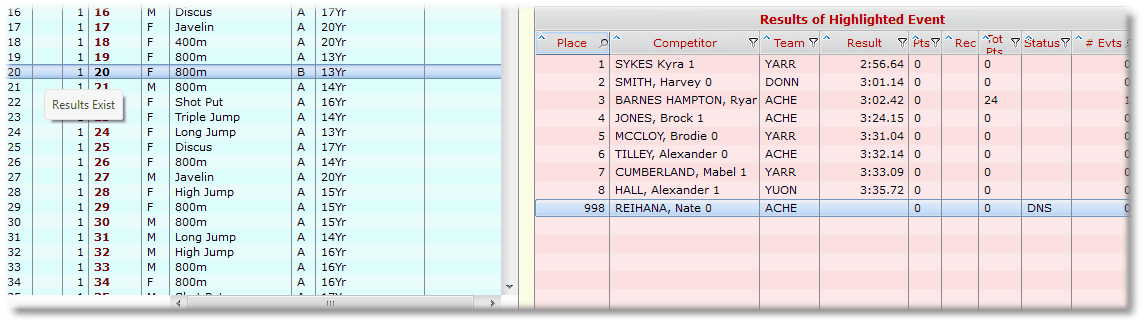
In Results Entry Window - unprocessed Event 20
Check these competitors against any corrections that may have been made on the Marshal Sheets
After processing:
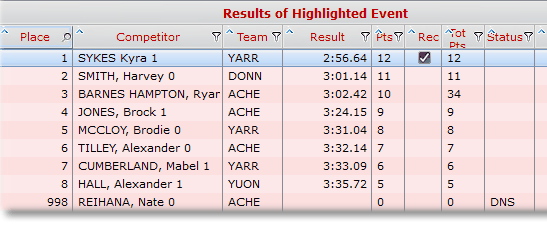
After Processing
After the processing, the list shows
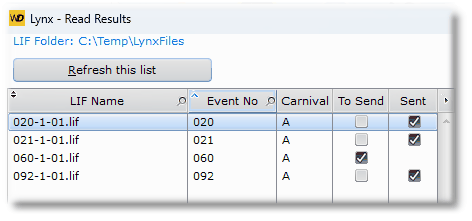
Successfully sent events
In the shot above, Event 60 did not send. In this case it was because my practice data was just copied from elsewhere and the event did not match the program. If this was the case for you, then take waht results you have for event 60 and manually enter them in Results Entry.
If you need to re-send a particular LIF file, Click To Send on the table to flag it again.