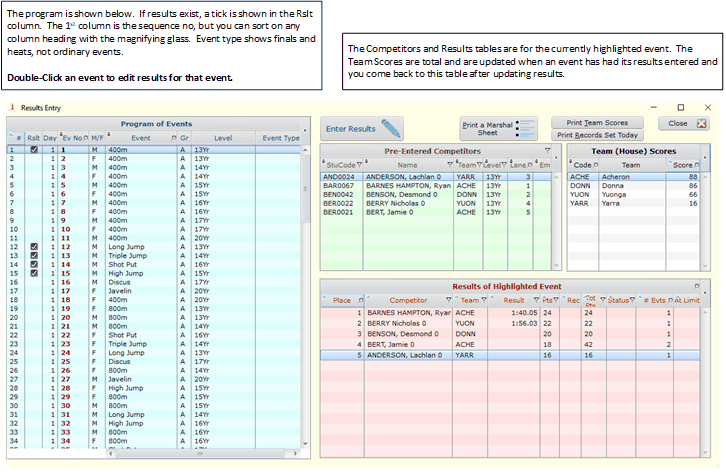
Results Table
Double click any event to bring up the table below.
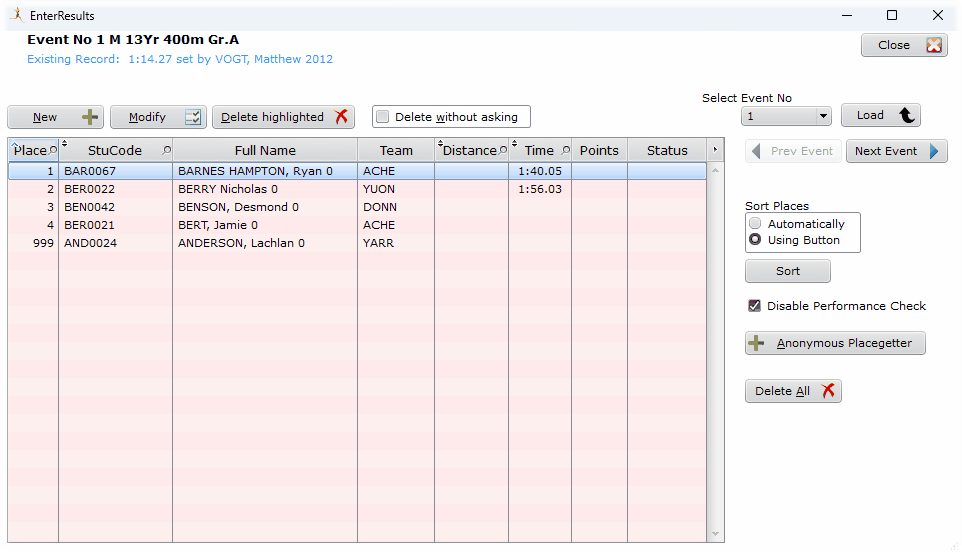
Results Entry on an event
When this table loads, any related scores are totally deleted from the competitors and teams. Results are recalculated whenever this window closes or another event is selected.
This means that if another computer looking at this carnival reads the scores, the results of the event being updated here will not be included.
999 Place
Pre-entered competitors are given a placing of 999 when initially loaded.
If they do not actually compete, do not bother removing them. 999 places are ignored when processing the event.
Sort Places
This requires all competitors to have a performance entered. If some competitors are placed, but not given a performance, they would be equally placed later than those with performances.
Anonymous Placegetter

An anonymous placegetter
If you want to recognise a placegetter as a member of a team but don't care who it is, use the Anonymous Placegetter button. This asks for the team and assigns an artificial student with the code beginning with @ sign as shown here.
Double click on any competitor to edit the place.
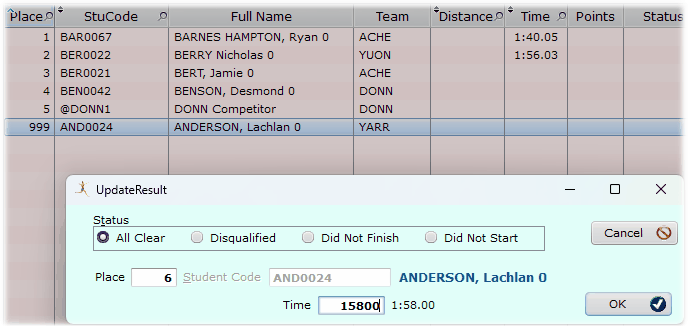
Editing a place
Start with 1st place, working up. The next available place is given by default. In this example the place is 6 since we already had 5 entered.
You may edit that place to anything you like, including an equal place.
You get a warning if the place and the performance are inconsistent with the other results, but sometimes you do it anyway prior to sorting. In case Disable the Performance Check in the results table.
Entering Times
Time should always be entered without punctuation in the format mmsshh
18 secs would be entered as 1800
18.5 is entered as 1850
1 min 24.5 secs is entered as 12450 or 7450
The critical thing is to finish on 100ths sec.
Status
All Clear is the default and will not show anything in the results table.
In a typical school carnival DNS, DNF, DSQ can be ignored, by not bothering with a Result for them. The status options are for formal carnivals where a complete record of results is required.