From Download Competitors on the Online Stages window.
Downloading Competitors
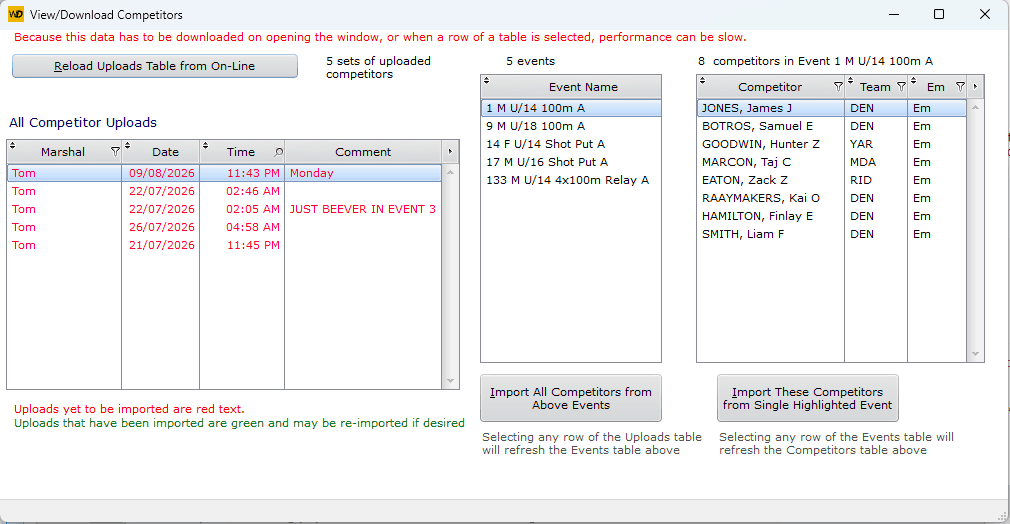
The left hand table displays a summary line of every app users' uploads. They add a User/Marshal and a possible comment.
For example, the highlighted line Tom, Monday shows that Tom upload 5 events and the highlighted event has the 8 competitors displayed.
Selecting different events displays their competitors.
You have choice of Importing All or just the competitors of the highlighted event.
The import takes all those competitors and adds them to existing competitors. If the competitor is already there, details may get updated, but they are not duplicated.
The import will also assign lanes if that has been set up for the event.