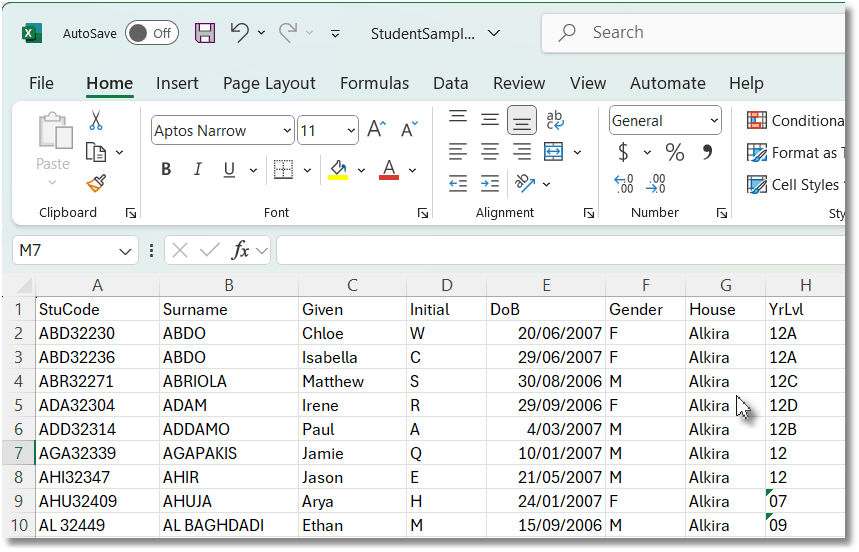
You usually require a text file from the school's administration that looks like this in Excel:
Column Positions |
The positions as shown will import directly. If another column order is used it can be modified on the import window. |
Headings |
Are not required. If present, check the box The data includes a header line otherwise the headings come through as a weird student |
Student Code |
Is desirable and usual, but not essential. If missing, SportsTrak creates an arbitrary one. |
YrLvl |
Is required if the basis of competition is Year Level. Use notation such as shown. Year Level 2 characters followed by optional form designation, no space |
Initial |
Is not essential. Leave the column blank if not used. |
Date of Birth |
Should be DD/MM/YYYY. This is required when age groups are used as the basis of competition. |
House |
Can be the House Name as entered in SportsTrak OR House Code as entered in SportsTrak. Just make sure you are using the same name or code as SportsTrak has entered already. If there is a difference you can change the way SportsTrak names houses, or change all the house data in the import file. |
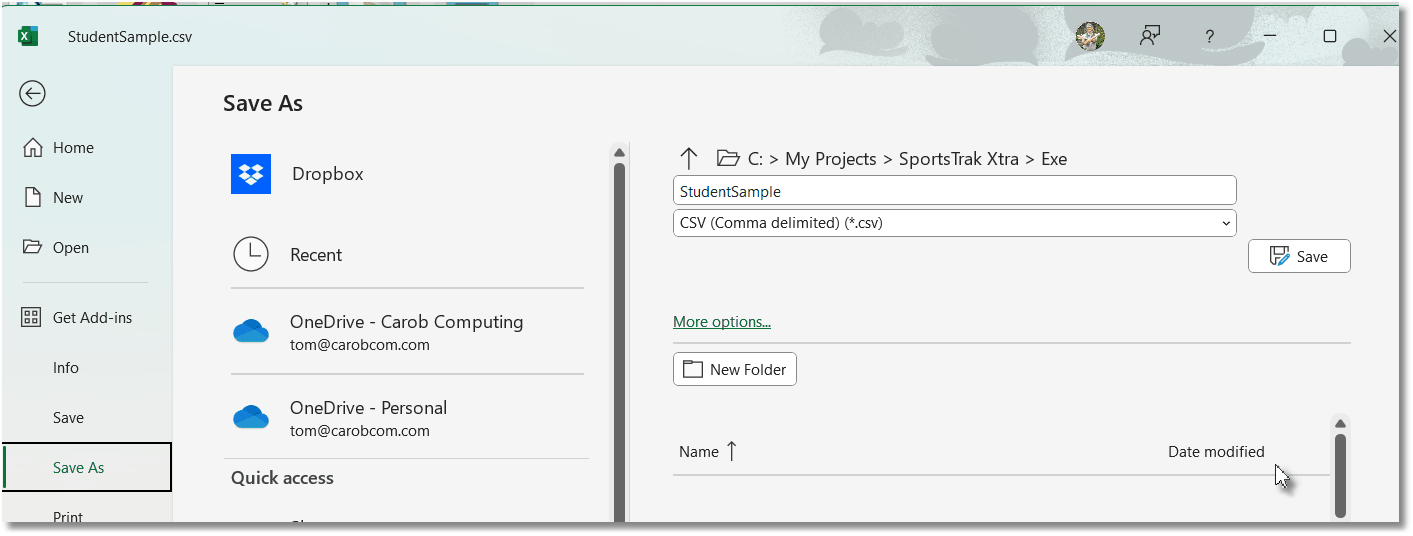
When Saving, DO NOT SAVE AS EXCEL. Save as CSV. The actual file name is not important From the File Menu of Excel:
|
|