From Menu 7 or Menu 9, you have options of Excel or CSV for sending or receiving a program of events, particularly for interacting with a SportsTrak 2200 user.
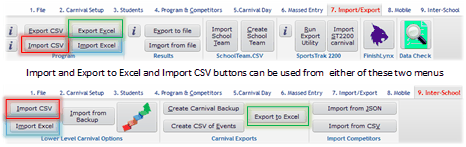
Excel is probably the better way to go, but not all users may have Excel, so CSV will be required.
Export to Excel offers two options depending upon whether the recipient is a ST2200 user or ST3000 user.
ST3000 uses Sequence No as well as Event No for events whereas ST2200 only uses Event No.
This means the two Excel files have different columns , so be aware of this when sending them out to other schools.
If sending to an ST2200 school, event numbers must be purely numeric, as noted in the mauve text above.
You may choose to export the program of events to CSV file because
a) It can be easier to make mass changes to the order of events
b) You want to send the program to another SportsTrak user to Import
CSV files are typically edited using a spreadsheet like Excel.
If you are unfamiliar with handling CSV files this guide has some general guidance here.
Specific rules for editing the program of events are here