CaRob
Computing
Home
Software
All software
SportsTrak 3000
SportsTrak 3000 mobile
SportsTrak 2200
BookIt
NetBookIt3
SciList
Downloads
Updates
User guide
Support
Contact
Basket
Sign in
User guide
/
Setting up a Carnival
/
Pre-Entry of Competitors
/
Entry via Event
Search the user guide
Search
Contents
Title Page
License Agreement
Skills Required by Users of SportsTrak 3000
Registration
About SportsTrak 3000
What does SportsTrak do?
The Menus
Program Behaviour
Setting up a Carnival
Create a Carnival with a Lineage
Check Related Data
Event Library
Ages and Years
Score System
Records
Program of Events Menu
Program
Add/Edit an Event
Non-Sporting Item on Program
Set Lanes
Pre-Entry of Competitors
Entry via Grid
Entry via Competitor
Entry via Event
Modify program based on Competitor Numbers
Heats and Finals
How SportsTrak Processes Heats
Heats Instructions
Standards
Student History
Carnival Day
Using Multiple Computers for Results Entry
Massed Entry
Entering Cross Country Results
Import-Export
Inter-School Management
SportsTrak 2200
Lynx
Mobile Management
Structure of SportsTrak
Back up
Restore
Backing Up Everything Yourself
SportsTrak's Data Files
CSV Files Explained
Changes from SportsTrak 2200
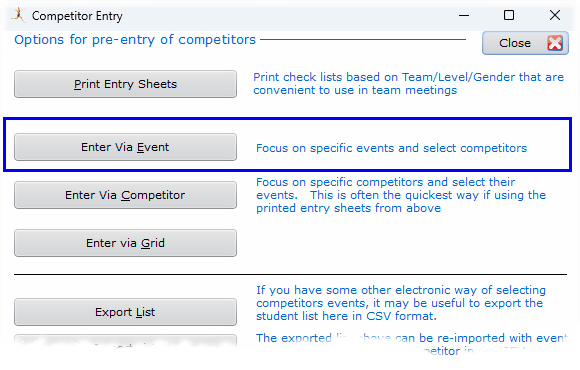
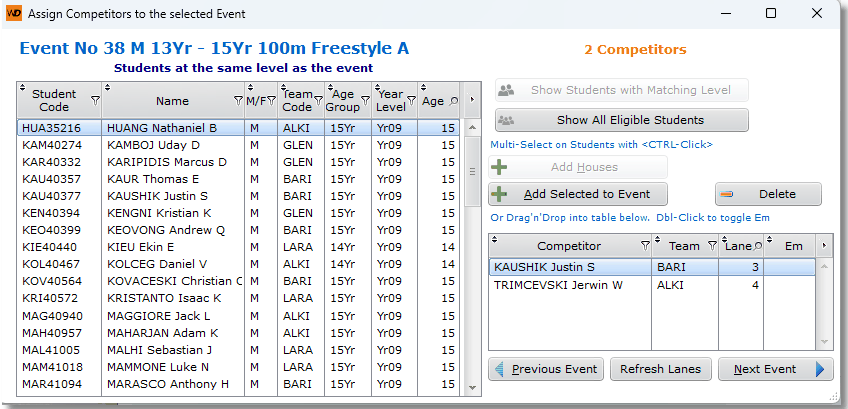
Entry via Event
Probably not the quickest way to add competitors, but very convenient to update individual events.
Previous
Entry via Competitor
Next
Modify program based on Competitor Numbers