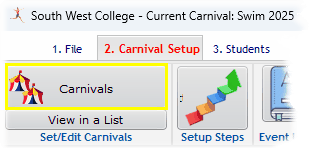
From the Carnival Menu, click Carnivals and create a New one in a selected Lineage
Edit Carnivals and Lineages
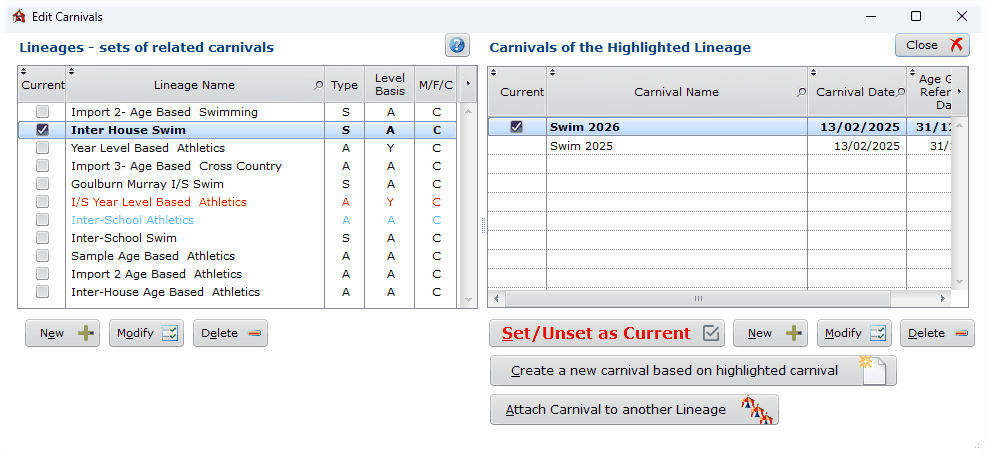
Creating a new Lineage
If the correct Lineage is not in the list on the left, create a New lineage
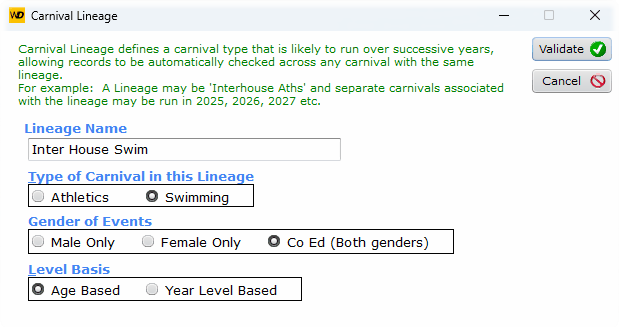
Set Details of the Lineage
These details apply to all Carnivals in the Lineage
If you Delete a Lineage, it will also delete all its Carnivals
If you Delete a Carnival, it will also delete all related data: events, students, results, age groups scoring system, year levels, houses...
From the right hand side of the main window, create a New carnival
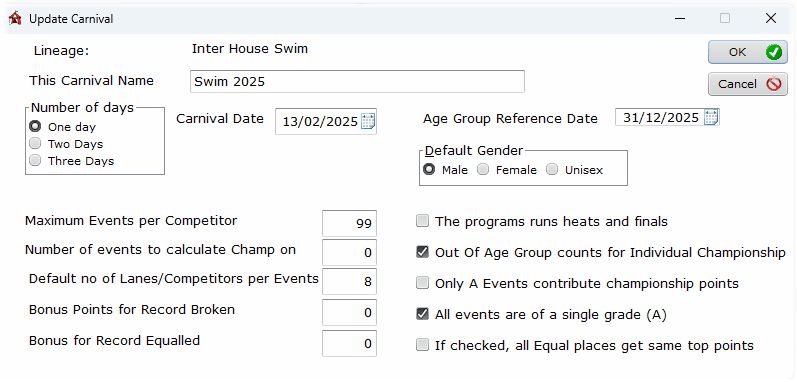
Update Carnival Details
It is expected that you put the year in the Carnival Name so that different carnivals are easily identified, eg Interschool Aths 2026, then Interschool Aths 2027
Check the other boxes as appropriate.
If you are running heats and finals, there is a separate section of this guide on that topic.
Set this Carnival as Current. |
Toggle current carnival on/off |


Current Lineage and Carnival
All other setting up functions in SportsTrak 3000 now refer only to this carnival. Details of other carnivals are hidden.
Now go to the Carnival Setup menu